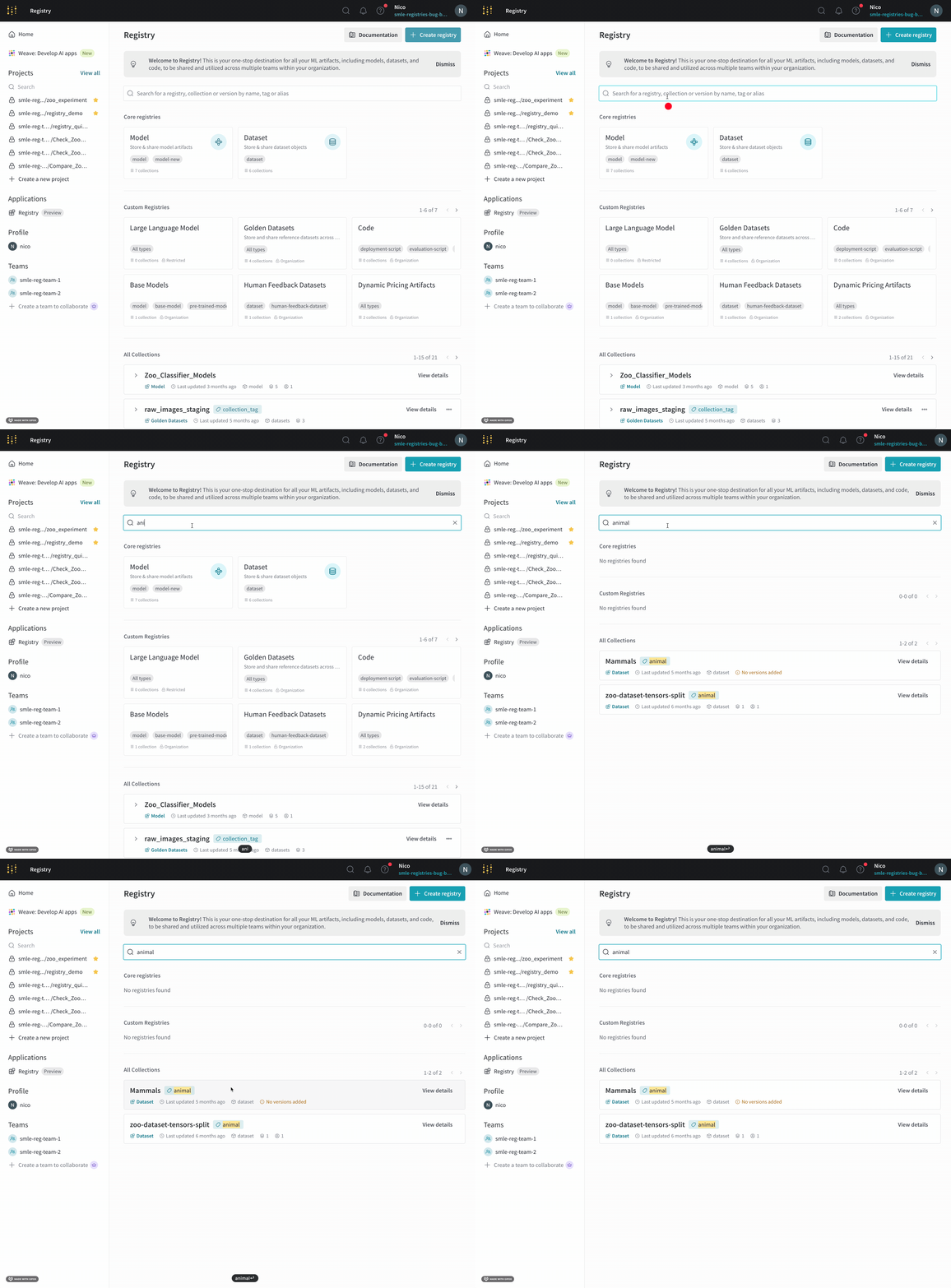
Use the global search bar in the W&B Registry to find a registry, collection, artifact version tag, collection tag, or alias. You can use queries to filter registries, collections, and artifact versions based on specific criteria using the W&B Python SDK.
The syntax and available operators you can use to query W&B Registry is similar, but not identical, to MongoDB queries.
Search for registry items
Use the W&B App to search for a registry item:
- Navigate to the W&B Registry.
- Specify the search term in the search bar at the top of the page. Press Enter to search.
Search results appear below the search bar if the term you specify matches an existing registry, collection name, artifact version tag, collection tag, or alias.
Query registry items
Use wandb.Api().registries() and query predicates to filter registries, collections, and artifact versions. A query predicate is a condition that specifies the criteria that returned items must meet.
To create a query predicate, use a JSON-like dictionary that consists of query name, one or more operators, and values. The following code snippet shows the general structure of a query predicate:
{
    "query_name": {
        "operator": value
    }
}
Filterable fields
The following table lists query names you can use based on the type of item you want to filter:
| query name |
|---|
| registries | name, description, created_at, updated_at |
| collections | name, tag, description, created_at, updated_at |
| versions | tag, alias, created_at, updated_at, metadata |
Supported operators
W&B supports the following comparison and logical operators for filtering registry items:
Comparison operators
| Operator | Description |
|---|
$eq | Equal to |
$ne | Not equal to |
$gt | Greater than |
$gte | Greater than or equal to |
$lt | Less than |
$lte | Less than or equal to |
Logical operators
| Operator | Description |
|---|
$and | Performs AND logic to one or more conditions |
$or | Performs OR logic to one or more conditions |
$nor | Performs NOR logic to one or more conditions |
$not | Performs NOT logic to a condition |
Other operators
| Operator | Description |
|---|
$regex | Regular expression pattern matching |
$exists | Field exists/doesn’t exist |
$contains | String contains value |
Example queries
The following code examples demonstrate some common search scenarios.
To use the wandb.Api().registries() method, first import the W&B Python SDK (wandb) library:
import wandb

# (Optional) Create an instance of the wandb.Api() class for readability
api = wandb.Api()
model:
# Filter all registries that contain the string `model`
registry_filters = {
    "name": {"$regex": "model"}
}

# Returns an iterable of all registries that match the filters
registries = api.registries(filter=registry_filters)
yolo in the collection name:
# Filter all collections, independent of registry, that
# contains the string `yolo` in the collection name
collection_filters = {
    "name": {"$regex": "yolo"}
}

# Returns an iterable of all collections that match the filters
collections = api.registries().collections(filter=collection_filters)
yolo in the collection name and possesses cnn as a tag:
# Filter all collections, independent of registry, that contains the
# string `yolo` in the collection name and possesses `cnn` as a tag
collection_filters = {
    "name": {"$regex": "yolo"},
    "tag": "cnn"
}

# Returns an iterable of all collections that match the filters
collections = api.registries().collections(filter=collection_filters)
model and has either the tag image-classification or an latest alias:
# Find all artifact versions that contains the string `model` and
# has either the tag `image-classification` or an `latest` alias
registry_filters = {
    "name": {"$regex": "model"}
}

# Use logical $or operator to filter artifact versions
version_filters = {
    "$or": [
        {"tag": "image-classification"},
        {"alias": "production"}
    ]
}

# Returns an iterable of all artifact versions that match the filters
artifacts = api.registries(filter=registry_filters).collections().versions(filter=version_filters)
artifacts iterable in the previous code snippet is an instance of the Artifact class. This means that you can access each artifact’s attributes, such as name, collection, aliases, tags, created_at, and more:
for art in artifacts:
    print(f"artifact name: {art.name}")
    print(f"collection artifact belongs to: { art.collection.name}")
    print(f"artifact aliases: {art.aliases}")
    print(f"tags attached to artifact: {art.tags}")
    print(f"artifact created at: {art.created_at}\n")
# Find all artifact versions created between 2024-01-08 and 2025-03-04 at 13:10 UTC.

artifact_filters = {
    "alias": "latest",
    "created_at" : {"$gte": "2024-01-08", "$lte": "2025-03-04 13:10:00"},
}

# Returns an iterable of all artifact versions that match the filters
artifacts = api.registries().collections().versions(filter=artifact_filters)
Specify the date and time in YYYY-MM-DD HH:MM:SS format for created_at and updated_at queries. You can omit the hours, minutes, and seconds if you want to filter by date only.


 Platform
 W&B Models
 W&B Weave
 W&B Inference
 W&B Training
 Release Notes